One Clipboard.Every Device.
Sync text, images and more between your Windows and Android devices — instantly, over your local network. No cloud. No accounts. Just works.
Watch Syncara Work
Real demos. No smoke and mirrors.
Windows → Windows
Copy on one PC, instantly paste on another. Text & images sync in real-time over your local network.
Windows ↔ Android
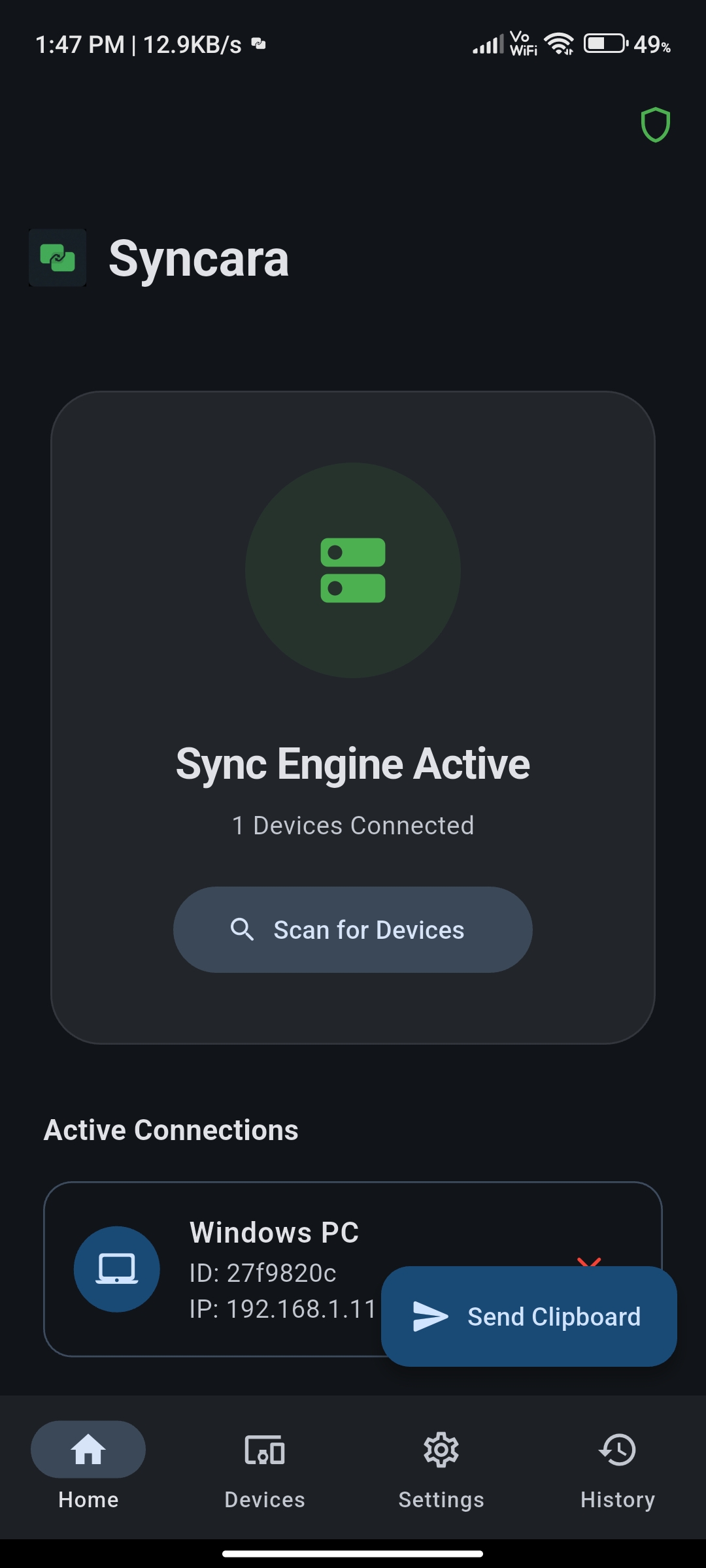
Seamless cross-device clipboard sharing. Copy on your phone, paste on your PC — and vice versa.
Get Started in Minutes
Follow the steps below to set up Syncara on your platform.
Download the Installer
Click the "Download for Windows" button above. This downloads SyncaraSetup.exe (~25 MB) directly to your machine.
Run the Installer
Double-click SyncaraSetup.exe. Windows SmartScreen may show a warning — click "More info" then "Run anyway". The installer takes ~10 seconds.
Sign in with Google
On first launch, Syncara opens a browser window for Google Sign-In. Sign in with the same Google account you'll use on Android.
App Starts in System Tray
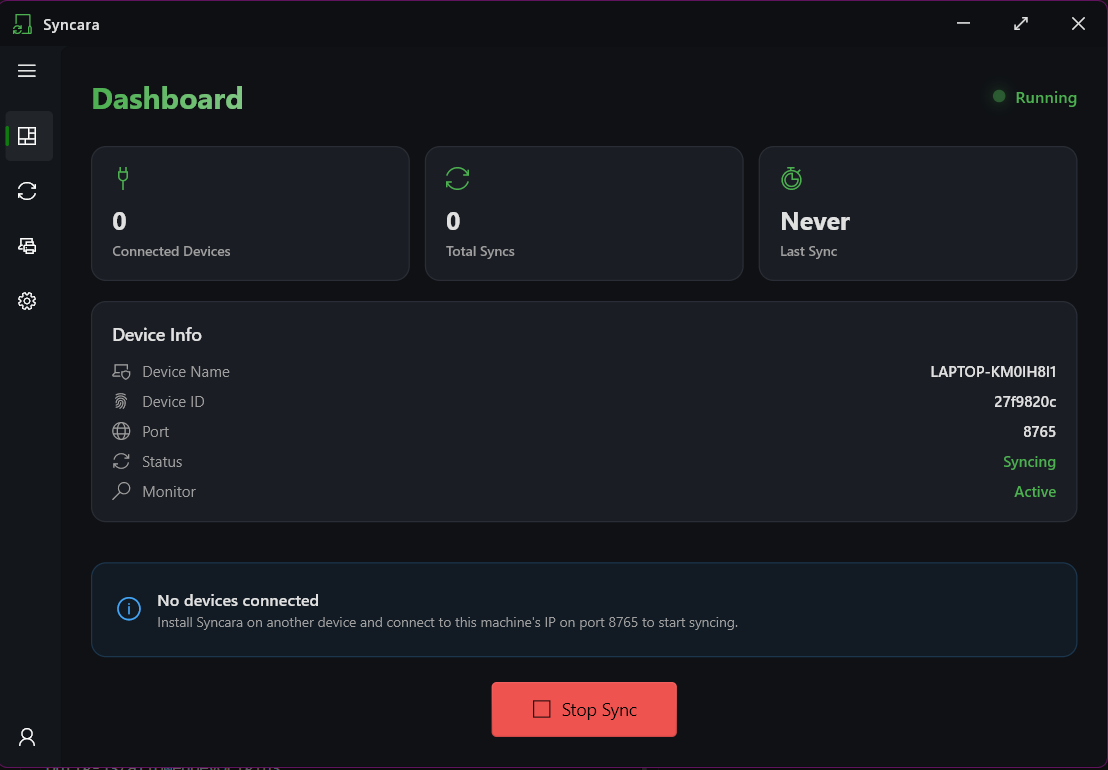
Syncara runs silently in your system tray (bottom-right corner). Click the tray icon to open the main window and manage devices.
Auto-Discover Devices
Make sure your PC and Android phone are on the same Wi-Fi network. Syncara will automatically find and pair trusted devices via mDNS.
You're all set! Syncara is running in your tray and ready to sync.
💡 Both devices must be signed in with the same Google account and on the same Wi-Fi network.
Minimal Interface. Zero Distraction.
Syncara runs quietly in the background. Clipboard sync without popups, noise, or interruption.
How It Works
Direct WebSocket connections between trusted devices, discovered automatically via mDNS.
mDNS finds devices on your LAN instantly — no configuration needed
Zero-latency peer-to-peer connection established directly between devices
Google-based identity ensures only your own devices can sync
Cryptographic hashing prevents duplicate clipboard events and infinite loops
Everything stays on your local network — zero external dependency
Your Data Never Leaves
Your Network.
Clipboard content is transmitted directly between your trusted devices. No external servers. Ever.
Cloud-Based vs Syncara
Most clipboard tools rely on centralized infrastructure. Syncara operates entirely peer-to-peer.
“Clipboard data never leaves your network.”
Built for Privacy & Speed
Every feature designed to keep your data local and your workflow seamless.
Local LAN Sync
CoreClipboard data syncs directly over your local network. No central server. No cloud dependency.
Windows ↔ Windows
PlatformCopy on one PC, paste on another instantly. Text and images both supported.
Windows ↔ Android
PlatformCross-platform clipboard sharing with secure device pairing and foreground service model.
Google Identity
SecurityDevices sync only with matching Google accounts. No accidental cross-account leaks.
Multi-Device Broadcast
SyncOne device broadcasts to all trusted devices simultaneously.
mDNS Discovery
NetworkAutomatic device discovery. No manual IP configuration — just plug and play.
SHA-256 Loop Prevention
IntegrityCryptographic hashing prevents infinite sync loops between devices.
Lightweight & Fast
PerformanceMinimal resource consumption. Runs silently in the background without interruption.
Built for Power Users
Engineers with Multiple Machines
Manage code snippets, configs, and outputs across workstations seamlessly.
Home Lab Enthusiasts
Perfect for controlled LAN environments and self-hosted setups.
Privacy-Focused Users
Zero cloud dependency means your clipboard data stays entirely local.
Cross-Device Developers
Copy on Android, paste on Windows. One clipboard across your workflow.